








Holdouts
Contents
Holdouts are randomly assigned lists of users who will be excluded from experiments. You can exclude these users from specific experiments or even all of your experiments.
Holdout testing is useful for understanding long term effects of product changes, typically over a few months. For example, a new onboarding flow might show great initial conversion rates, but a holdout group could reveal whether those users remain active in 3 months from now.
How to create a holdout
To create a new holdout:
- Navigate to Experiments and click on the Holdout groups tab.
- Click New holdout.
- Enter a descriptive name for your holdout, fill out the optional description to help you remember its purpose, and set the percentage of users you want to include in the holdout.
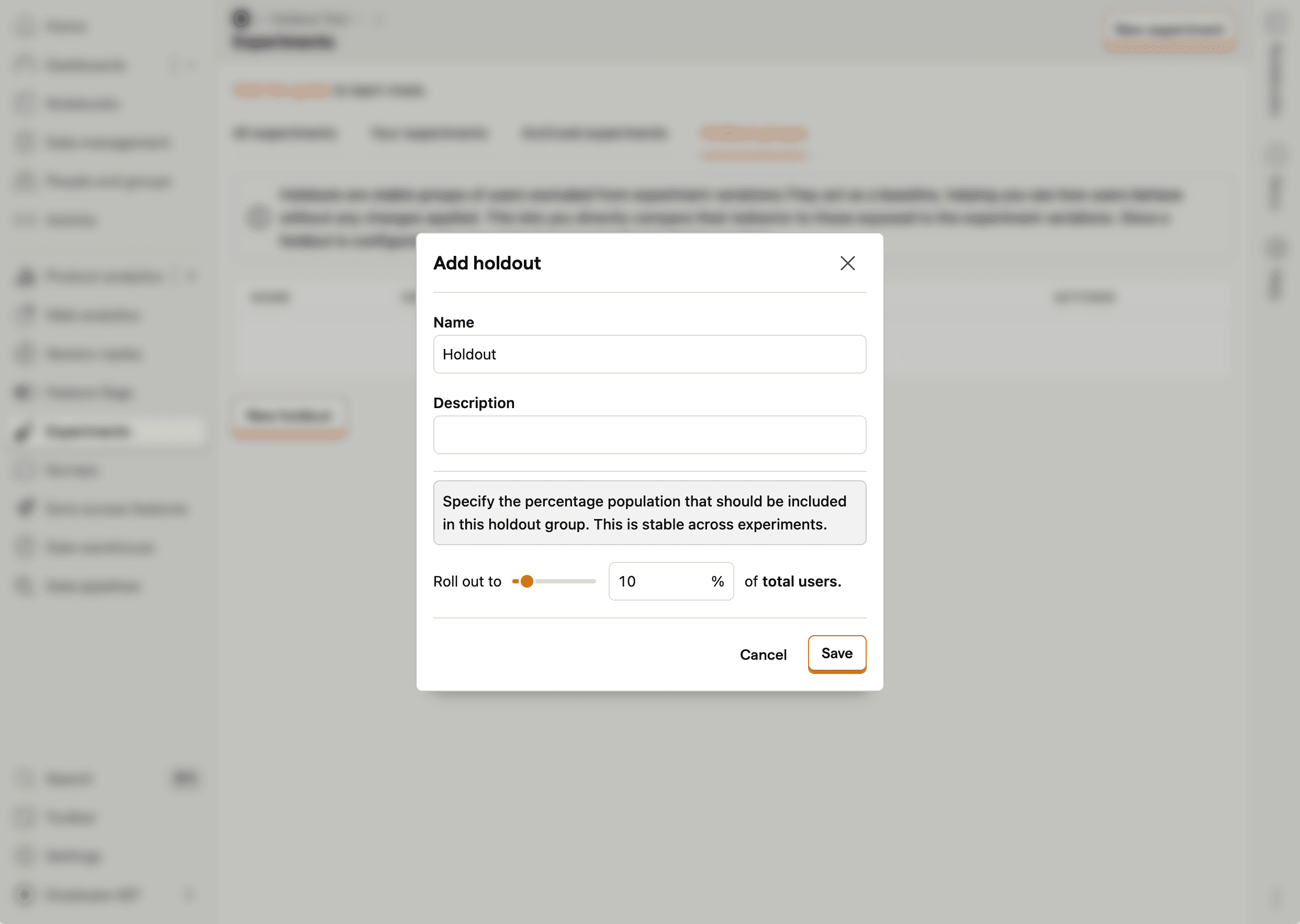
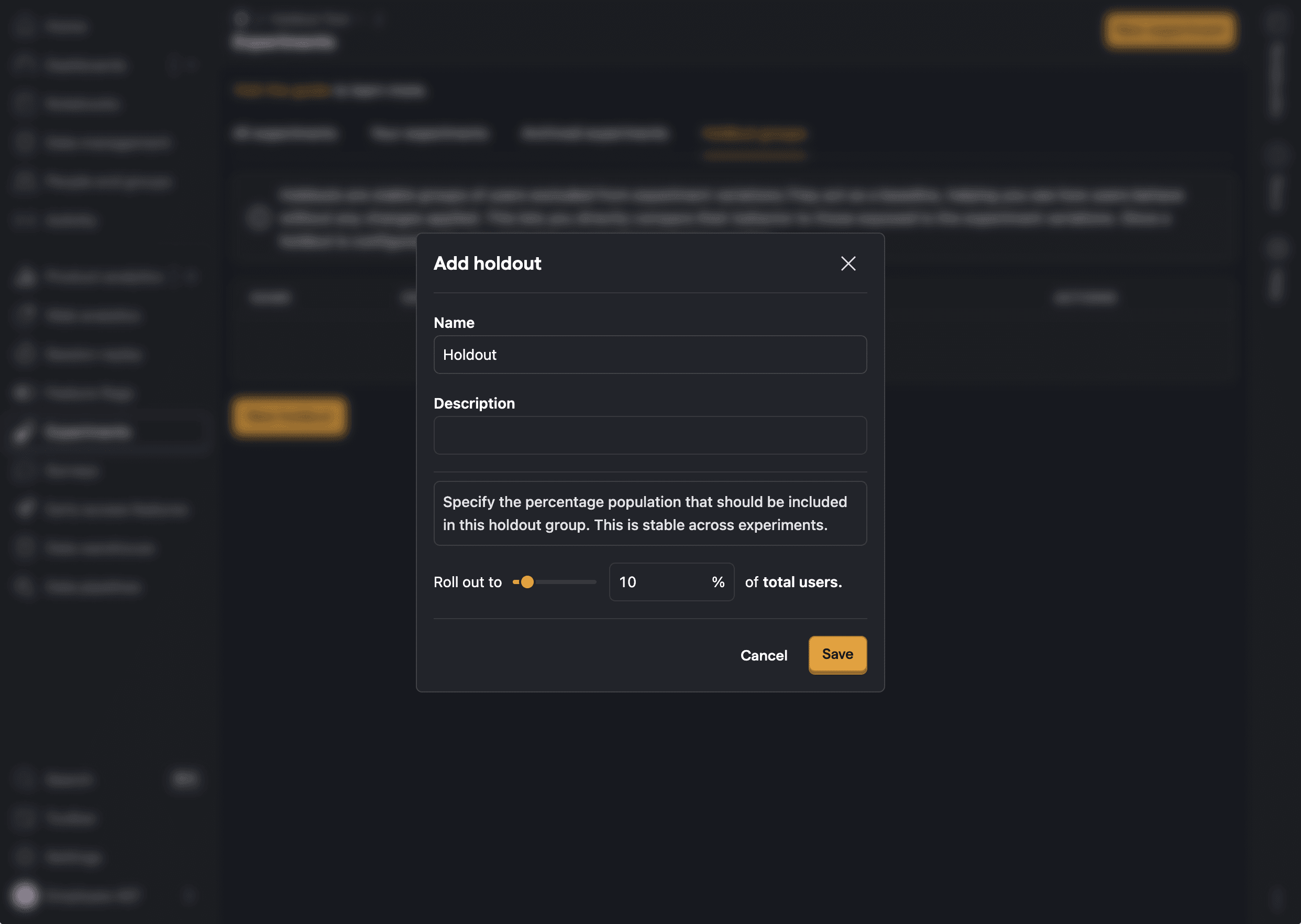
The holdout should be large enough to be statistically significant, but small enough as to not significantly reduce the pool of users available for experiments. We recommend between 1% and 10%.
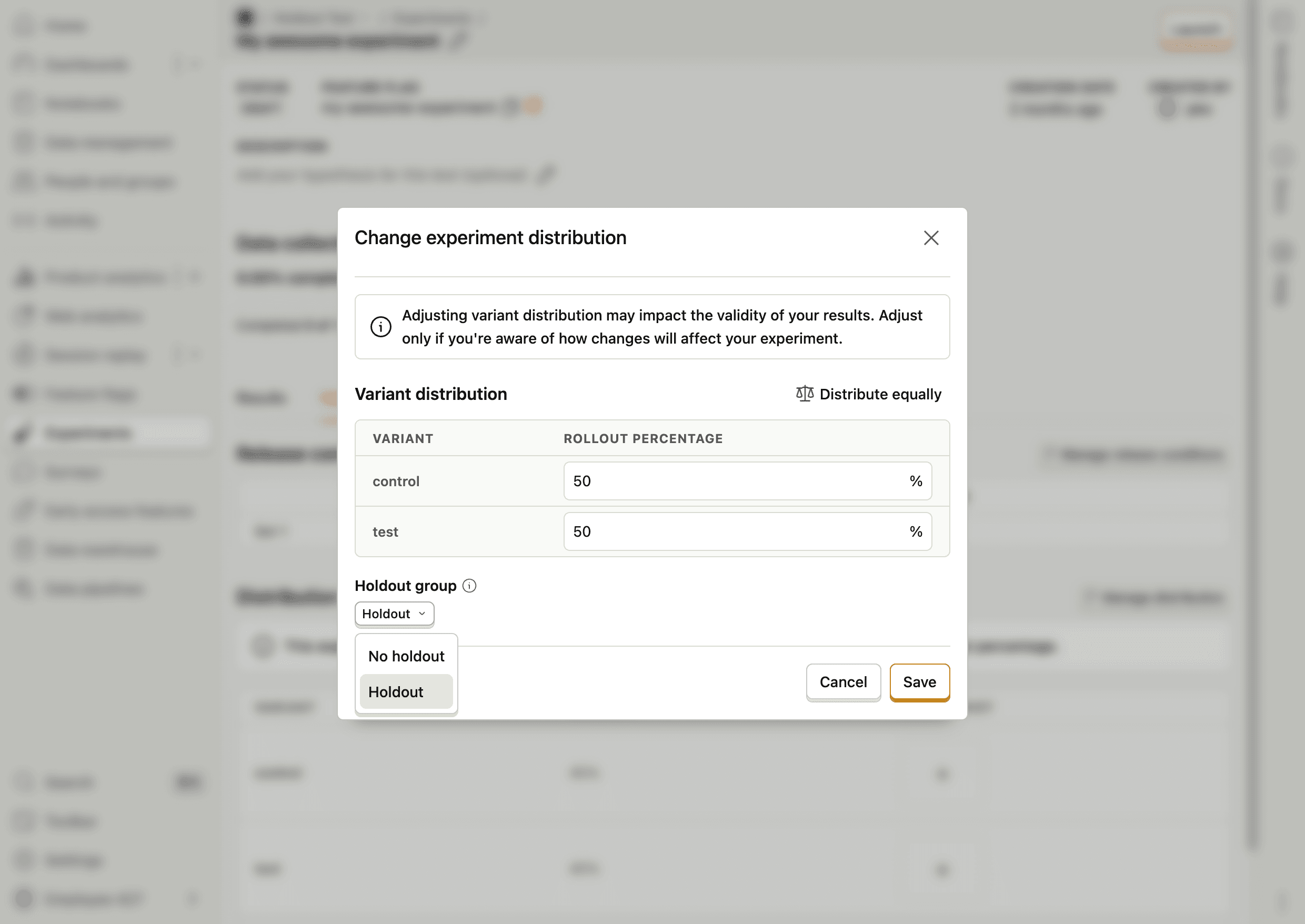
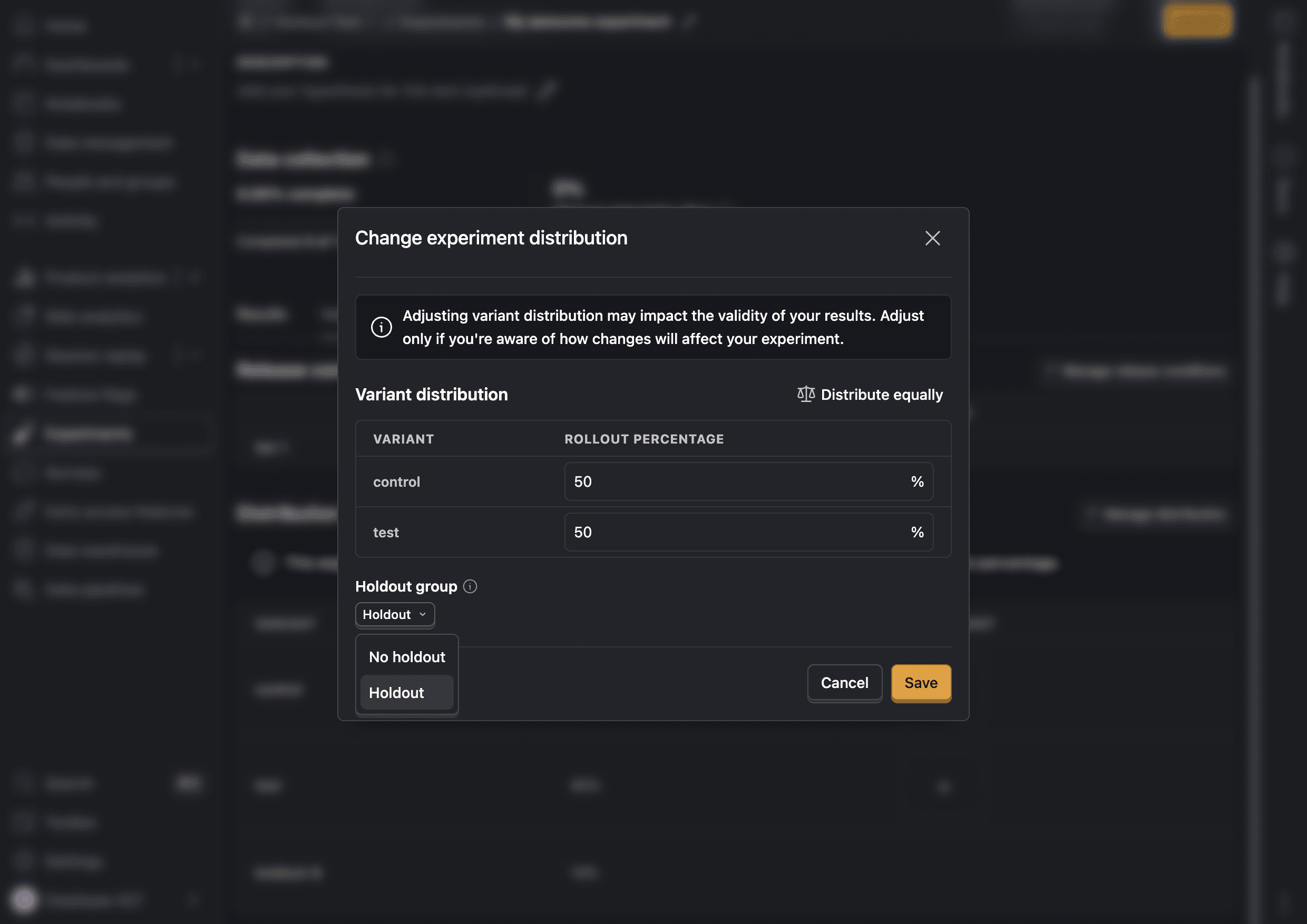
Once created, you can assign a holdout to a draft experiment in the Manage distribution section of the Variants tab. The holdout becomes locked once any experiment using it is launched and you will be unable to modify it. This is to prevent data inconsistencies that could affect results.
How to view holdout results
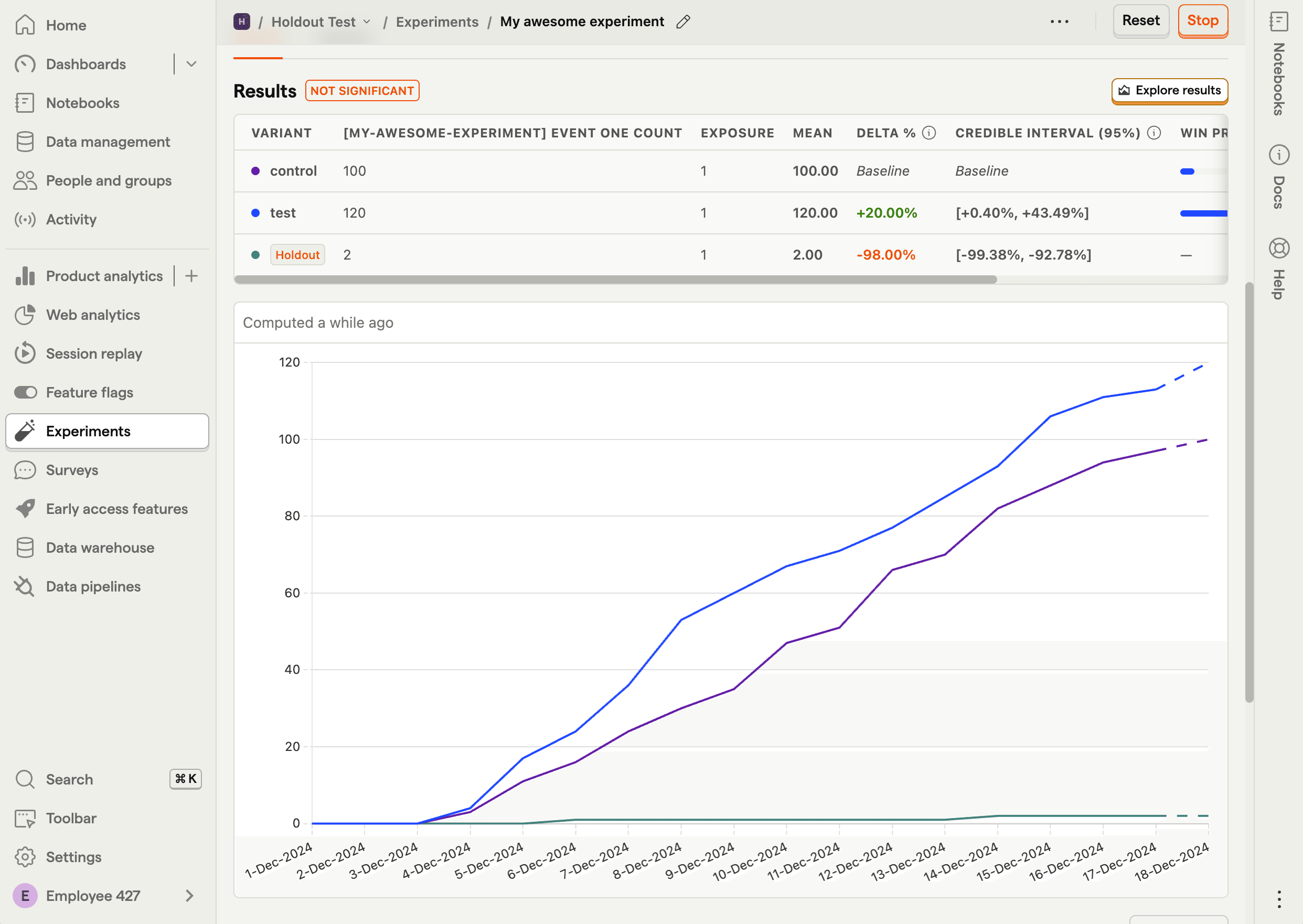
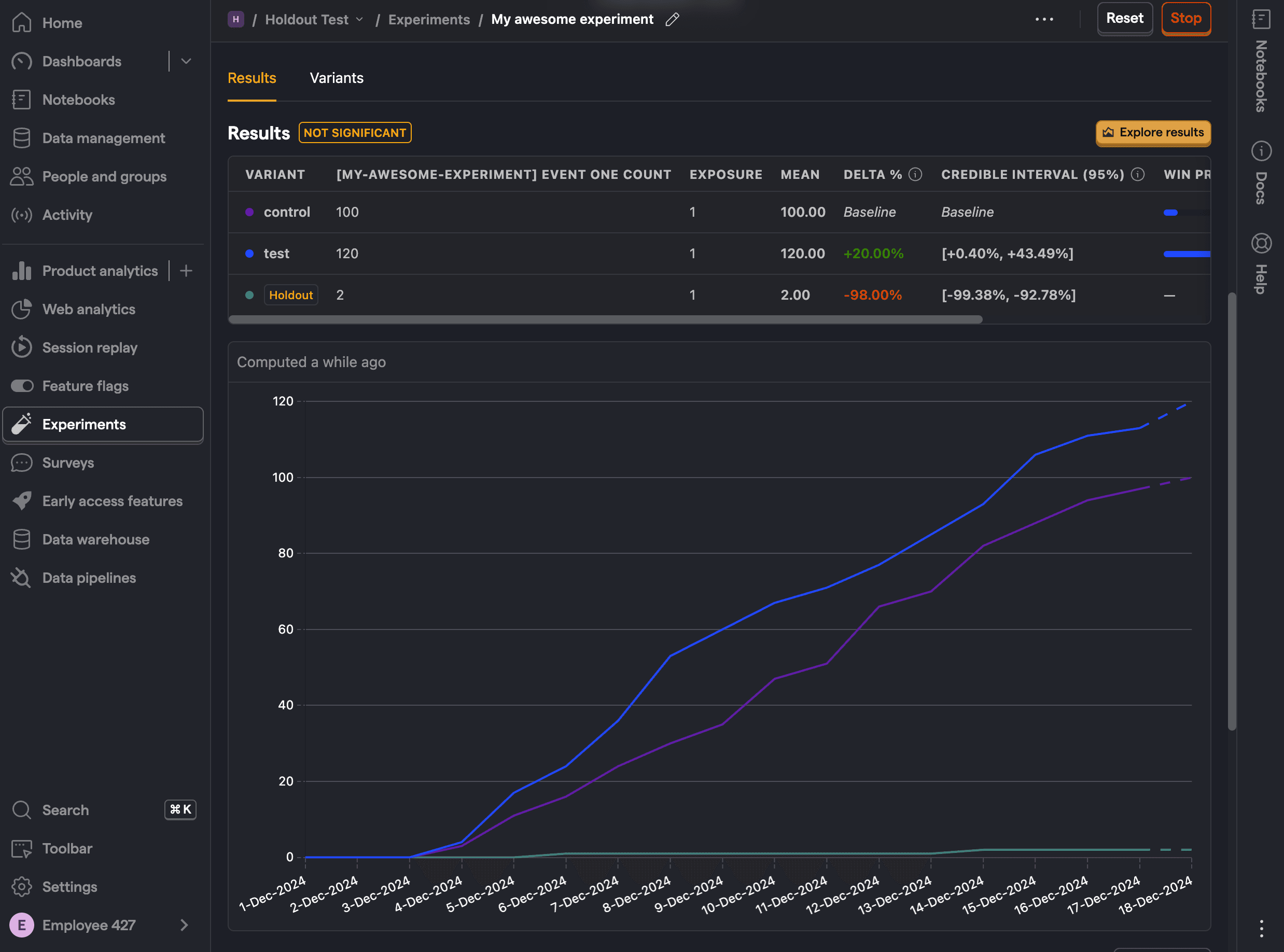
When assigned to an experiment, your holdout will be treated as another variant in experiment analysis. You'll be able to see the conversion rate, delta %, credible interval, and win probability alongside other experiment variants.
How holdouts affect feature flags
When a user is assigned to a holdout group, the feature flags associated with experiments using that holdout return a special variant value instead of the experiment's control or test variants.
Holdout variant format
Users in a holdout receive a variant value of holdout-{holdout_id}, where holdout_id is the internal database ID of the holdout group. For example, if your holdout has ID 727, users in that holdout receive the variant holdout-727.
You can find the holdout ID in the URL when viewing the holdout in PostHog (e.g., /experiments/holdouts/727).
Detecting holdout users in code
When evaluating a feature flag for an experiment with a holdout, you can check if a user is in the holdout by looking for the holdout- prefix in the variant:
Holdout evaluation priority
Holdout conditions are evaluated before regular flag conditions. If a user matches the holdout's rollout percentage, they receive the holdout variant regardless of any other targeting rules on the flag.